
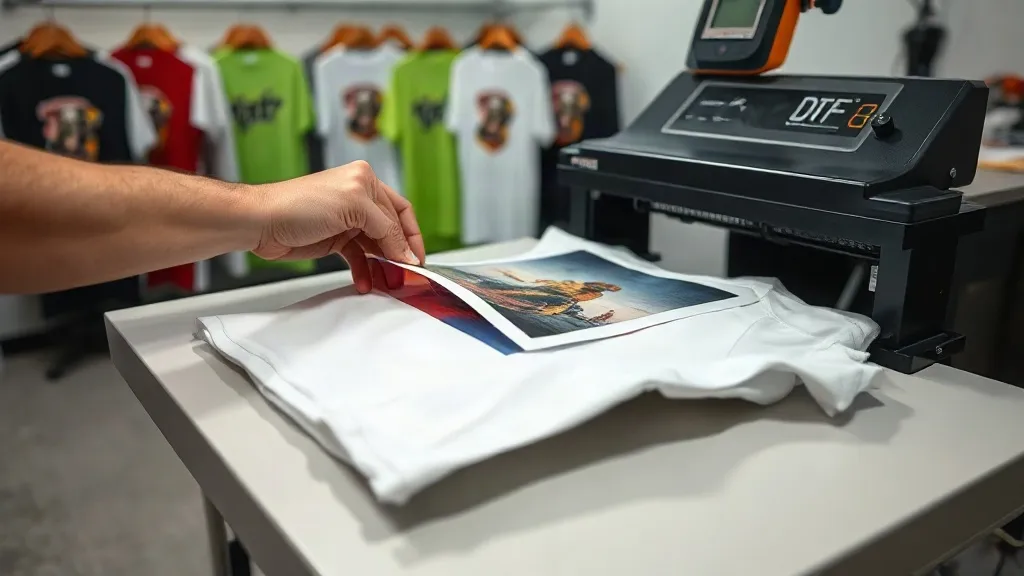
You've invested in quality dtf transfers, set up your heat press, and followed the instructions, yet the finished garment doesn't look right. Maybe the transfer peeled after the first wash, or the colors appear dull, or the edges lifted. These issues are frustrating, but they're also solvable. In this troubleshooting guide, we'll walk through the most common problems that occur when applying dtf transfers and show you exactly how to fix them. Whether you're a small shop owner or a hobbyist, these practical solutions will help you achieve consistent, professional results.
Why DTF Transfers Fail: Understanding the Basics
Before diving into specific issues, it's important to understand the variables that affect dtf transfer success. The process involves transferring a printed design from a film to fabric using heat and pressure. Key factors include temperature, pressure, time, and the compatibility of the transfer with the fabric. Even a small deviation in one of these can cause problems. Additionally, environmental conditions like humidity and the condition of your equipment play a role. By controlling these variables, you can eliminate many common issues.
Common Pressing Problems and Their Solutions
1. Transfer Peels or Cracks After Washing
This is perhaps the most common complaint. If your dtf transfers peel or crack after washing, it usually points to insufficient heat, pressure, or time during pressing. Here's how to fix it:
- Check temperature: Ensure your press is set to the recommended temperature for the transfer (typically 150-160°C or 300-320°F). Use an infrared thermometer to verify the actual platen temperature, as press dials can be inaccurate.
- Increase pressure: Medium to firm pressure is needed for proper adhesion. If your press uses a pressure knob, adjust it so the transfer bonds securely. Too little pressure prevents the adhesive from penetrating the fabric.
- Extend press time: Most DTF transfers require 10-15 seconds. If peeling occurs, try increasing to 15-20 seconds, but avoid over-pressing, which can cause other issues.
- Pre-press the garment: Moisture in the fabric can interfere with adhesion. Pre-press the garment for 5-10 seconds to remove wrinkles and moisture before applying the transfer.
Also, ensure you're using the correct peel method. Most DTF transfers are cold peel, meaning you must wait until the transfer cools completely before removing the film. Peeling while hot can cause the design to lift or distort.
2. Colors Look Dull or Faded
If the transferred design appears less vibrant than the original, several factors could be at play. First, check the quality of the dtf transfers themselves. Inferior transfers may have poor ink saturation or low-quality powder. If you're confident in your supplier, consider these pressing issues:
- Insufficient pressure: Without adequate pressure, the ink doesn't fully transfer from the film to the fabric, resulting in a faded look. Increase pressure and ensure the press is level.
- Temperature too low: If the press is too cool, the adhesive won't melt properly, and the ink won't bond. Verify the temperature with an external thermometer.
- Over-pressing: Ironically, pressing at too high a temperature or for too long can cause the ink to become brittle or scorch, leading to dullness. Stick to the recommended settings.
- Fabric type: DTF transfers work best on cotton, polyester, and blends. On very dark fabrics, colors may appear less vibrant due to the background. Using a white underbase (if available) can help.
If you've ruled out these factors, try a test press on a scrap piece of fabric to isolate the issue.
3. Transfer Lifts at the Edges
Edges that lift or curl after pressing are a sign of uneven pressure or insufficient adhesion. Here's how to address it:
- Ensure even pressure: Check that your heat press platen is level and that pressure is applied uniformly. A worn press or uneven surface can cause edges to lift.
- Use a pressing pad: Placing a Teflon sheet or pressing pad over the transfer can help distribute pressure more evenly.
- Trim excess film: If the transfer film extends beyond the design, it can catch on the press and lift. Trim closely around the design before pressing.
- Repress the edges: If lifting occurs after the initial press, cover with a Teflon sheet and repress for 5-10 seconds with firm pressure.
For dtf transfers near me that you've purchased locally, check if the film has a shelf life; expired transfers may have compromised adhesive.
4. Wrinkles or Bubbles in the Transfer
Wrinkles or bubbles under the transfer film can ruin the appearance. They often result from improper handling or moisture:
- Pre-press the fabric: As mentioned, pre-pressing removes wrinkles and moisture. Use a lint roller to remove any debris.
- Store transfers properly: Keep unused transfers flat and away from humidity. Wrinkled film can transfer wrinkles to the design.
- Apply transfer smoothly: When placing the transfer on the fabric, start from one edge and smooth it down to avoid trapping air.
- Use a Teflon sheet: A Teflon sheet on top of the transfer during pressing helps prevent wrinkles and protects the press.
If bubbles appear after pressing, they may be due to moisture in the fabric. Try pre-pressing longer or using a moisture-absorbing pad.
5. Design Appears Blurry or Distorted
Blurriness or distortion usually indicates that the transfer shifted during pressing or that the film was removed too early. To prevent this:
- Secure the transfer: Use heat-resistant tape to hold the transfer in place during pressing.
- Wait for complete cooling: Cold peel transfers must be allowed to cool completely before peeling. Peeling while warm can stretch the design.
- Avoid excessive pressure: Too much pressure can cause the ink to spread, leading to blurriness. Use medium pressure.
Also, ensure your heat press is not set to a temperature that is too high, as this can cause the ink to bleed.
Preventive Measures for Consistent Results
To minimize issues, establish a standard operating procedure for your DTF pressing. This includes regular maintenance of your heat press, storing transfers in a cool, dry place, and keeping a log of settings for different fabrics. Invest in a quality infrared thermometer and a pressure gauge to verify your press's performance. And always perform a test press on a scrap piece of fabric before starting a production run.
Frequently Asked Questions
Why do my DTF transfers peel after washing even though I followed the instructions?
Peeling after washing often indicates insufficient pressure or time during pressing. Ensure your press is set to the correct temperature and that you're applying firm, even pressure for the full recommended duration. Also, verify that you're using the correct peel method (cold peel for most DTF transfers). If the problem persists, try increasing press time by 5 seconds and check the fabric for moisture by pre-pressing.
Can I use DTF transfers on fabrics other than cotton?
Yes, DTF transfers work on a wide range of fabrics, including polyester, blends, and even some nylons. However, results may vary. On synthetic fabrics, lower the temperature slightly to avoid melting or scorching. Always test on a small area first. For best results, use a fabric that can withstand the heat of pressing (typically 150-160°C).
How do I store unused DTF transfers to prevent issues?
Store DTF transfers in a cool, dry place away from direct sunlight. Keep them flat to prevent curling or wrinkles. Avoid storing them in humid areas, as moisture can affect the adhesive. If you live in a humid climate, consider using a dehumidifier or storing transfers in a sealed container with silica gel packets.
What should I do if the transfer film sticks to the fabric after peeling?
If the film sticks and won't peel cleanly, it's likely because the transfer was peeled while still hot. Most DTF transfers require cold peel, so allow the garment to cool completely before peeling. If you're using a hot peel transfer, follow the manufacturer's instructions. If the film is stuck, try gently rolling it back rather than pulling up, and if necessary, repress with a Teflon sheet for a few seconds to re-adhere, then peel again.
How can I find reliable DTF transfers near me?
To find quality dtf transfers near me, look for local print shops or suppliers that specialize in DTF. Check online reviews and ask for samples to test before committing to a large order. Ensure they provide clear instructions and support. If you prefer online ordering, choose reputable suppliers like Harwin DTF that offer consistent quality and fast shipping.