
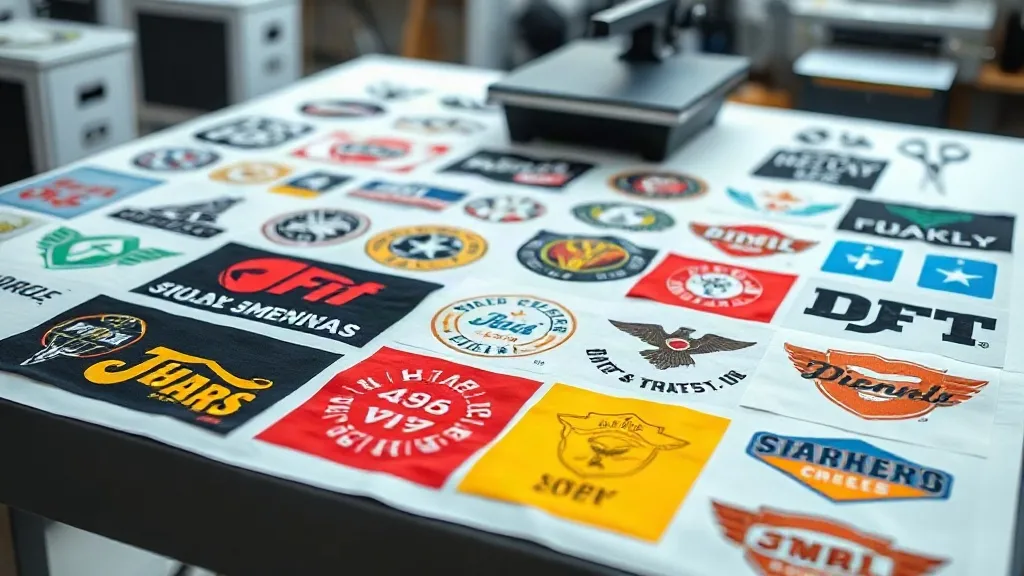
If you're in the custom apparel business, you know that time is money. Every minute spent cutting, weeding, and aligning individual transfers eats into your profit margin. That's where the DTF Gangsheet comes in—a game-changing approach that lets you print multiple designs in one go, slashing prep time and material waste. In this guide, we'll dive deep into what a DTF gangsheet is, why it's a must-have for your shop, and how to make the most of it. Whether you're a seasoned pro or just starting out, mastering gangsheets will transform the way you work.
What Exactly Is a DTF Gangsheet?
Think of a DTF gangsheet as a digital canvas where you arrange multiple designs—logos, text, graphics—into a single layout. Instead of printing each transfer separately, you send one file containing all the elements to your DTF printer. The printer then produces one large sheet with all your designs, ready to be cut and applied. This method is a cornerstone of efficient DTF printing, and it's particularly popular among small to medium-sized apparel businesses.
The term "gang" refers to grouping multiple items together, and that's exactly what you do: you gang up several jobs to maximize the use of your transfer film and printer time. A typical gangsheet might include a mix of sizes, from small chest logos to large back prints, all nested together to minimize wasted space.
Why Your Shop Needs DTF Gangsheets
If you're still printing one design at a time, you're leaving money on the table. Here's why gangsheets are a smart move:
- Time efficiency: Preparing a single gangsheet takes a fraction of the time compared to setting up multiple individual print jobs. You load the file once, and your printer does the rest.
- Cost savings: By maximizing the use of every inch of film and powder, you reduce waste and lower your cost per transfer. That adds up quickly, especially on large orders.
- Consistency: When all designs are printed in one batch, colors and quality remain consistent across the entire run. No more slight variations from one print to the next.
- Scalability: Gangsheets make it easy to handle bulk orders. You can produce hundreds of transfers in a single print, which is perfect for team jerseys, event merch, or promotional items.
In short, a DTF gangsheet is a productivity multiplier. It allows you to focus on growing your business rather than being stuck in the production bottleneck.
How to Create a DTF Gangsheet: Step by Step
Creating a gangsheet isn't complicated, but it does require some planning and the right tools. Here's a straightforward process you can follow:
- Collect and prepare your designs: Gather all the artwork you need to print. Ensure each design is in a high-resolution format (300 DPI or higher) and has a transparent background. If you're using vector files, even better.
- Choose your gangsheet size: Standard sizes include 13x19 inches, 22x24 inches, and 24x36 inches, but you can customize based on your printer's capabilities and your order requirements. Keep in mind the width of your DTF film roll.
- Use gangsheet builder software: Many RIP software or dedicated gangsheet builders allow you to drag and drop designs, automatically nest them, and add cut lines. If you're handy with design software like Photoshop or Illustrator, you can manually arrange them, but automated tools save time and reduce errors.
- Nest efficiently: Arrange designs to minimize empty space. Rotate elements if needed, and group similar sizes together. Leave a small gap (about 0.1-0.2 inches) between designs for easy cutting.
- Add registration marks or cut lines: These help you or your cutting machine identify where to cut. Some printers have built-in cutters, but if you're cutting by hand, clear marks are essential.
- Save and print: Once your layout is ready, save it as a PDF or a format compatible with your printer's RIP software. Load your DTF film, ensure the printer settings are correct (ink limits, white ink layer, etc.), and hit print.
After printing, you'll need to apply adhesive powder and cure the sheet before it's ready to use. Follow your powder and oven specifications for best results.
Best Practices for Gangsheet Layout and Design
Not all gangsheets are created equal. A well-designed sheet can save you time and money, while a poorly planned one can lead to waste and frustration. Keep these tips in mind:
Maximize Density
The goal is to fill the sheet as much as possible without overlapping designs. Use nesting software or manually rotate shapes to fit them tightly. Remember that DTF film is sold by the roll, so every inch counts.
Group by Color and Material
If you're printing designs with different color profiles, group them together to avoid excessive ink changes. Also, consider the fabric you'll apply the transfers to—some designs may require a thicker white ink layer for opacity on dark garments.
Mind the Grain Direction
DTF film has a grain, and designs should be aligned accordingly to ensure proper adhesion and stretch. Usually, the grain runs along the length of the roll, so align your designs parallel to the roll direction.
Leave Space for Cutting
Don't cram designs too close together. Leave at least 0.2 inches between them to allow for clean cuts, especially if you're using a knife or scissors. If you have a cutting machine, you can reduce the gap, but always test first.
Test Print Small Runs
Before committing to a full gangsheet, do a small test print to check color accuracy and adhesion. This is especially important when trying new film or powder brands.
Common Mistakes to Avoid with DTF Gangsheets
Even experienced printers can slip up. Here are some pitfalls to watch out for:
- Overcrowding: Trying to fit too many designs can lead to overlapping or insufficient spacing, making cutting a nightmare. Always prioritize clean edges over maximum density.
- Ignoring Printer Limitations: Each printer has a maximum print width and length. Exceeding these will result in clipped designs or error messages. Know your printer's specs.
- Using Low-Resolution Images: Scaling up a small image will produce a pixelated transfer. Always use high-res files.
- Forgetting the White Ink Layer: DTF printing requires a white ink base for opacity. Skipping or misconfiguring this layer will result in dull, translucent transfers.
- Improper Curing: If the powder isn't melted properly, the transfer will crack or peel. Follow the recommended curing temperature and time.
By avoiding these mistakes, you'll ensure your gangsheets are production-ready and yield professional results.
How DTF Gangsheets Compare to Other Printing Methods
You might wonder how gangsheets stack up against screen printing, DTG, or vinyl. Here's a quick comparison:
- Screen Printing: While cost-effective for large single-color orders, screen printing requires separate screens for each color and design. Gangsheets offer more flexibility for multi-color, small-batch jobs.
- DTG (Direct-to-Garment): DTG is great for detailed, full-color prints but can be slow and costly for bulk orders. Gangsheets allow you to produce multiple transfers in one print, which can be more efficient for larger quantities.
- Vinyl: Vinyl is durable but limited in color and complexity. DTF gangsheets handle intricate designs and gradients with ease, and they adhere to a wide range of fabrics.
Overall, DTF gangsheets shine in their versatility and efficiency, making them a preferred choice for many apparel decorators.
Frequently Asked Questions About DTF Gangsheets
What is the maximum size for a DTF gangsheet?
The maximum size depends on your printer and film roll width. Common widths are 13, 17, 22, and 24 inches, with lengths limited by your printer's capabilities (often up to 36 inches or more for roll-to-roll printers). Always check your printer's specifications.
Can I mix different designs on one gangsheet?
Absolutely! That's the whole point. You can combine logos, text, and images of various sizes as long as they fit within the sheet dimensions. Just ensure proper spacing for cutting.
How do I cut a DTF gangsheet?
You can cut manually with scissors or a rotary cutter, or use a cutting machine like a Cricut or Silhouette. For manual cutting, add cut lines in your design. For machine cutting, save your file with vector cut paths.
What fabrics can I apply DTF transfers to?
DTF transfers adhere to cotton, polyester, blends, and even nylon. They work on light and dark colors, thanks to the white ink base. Just ensure the fabric can withstand the heat press temperature (usually 300-350°F).
How should I store unused gangsheets?
Store them in a cool, dry place away from direct sunlight. Keep them flat or rolled loosely to avoid creases. Properly cured transfers can last for months.
Mastering the DTF gangsheet is a journey, but with practice, it becomes second nature. The efficiency gains and cost savings are well worth the effort. So next time you fire up your printer, think gang—your bottom line will thank you.